


<link data-stencil-stylesheet href="https://cdn11.bigcommerce.com/s-v8oj4rfmzr/stencil/4d201c90-7790-013e-321d-6673e56671b8/e/9e35bad0-fbf8-013d-372e-02a127530322/css/theme-059297b0-b336-013e-8e69-026a96baac6b.css" rel="stylesheet">
hreflang region
Skip to main content

Free Delivery when you spend £75 (excl. VAT)    Email us: sales@gtse.co.uk or Phone: 01246 386 126

Incl. VAT Excl. VAT
Call us Trade Enquiries

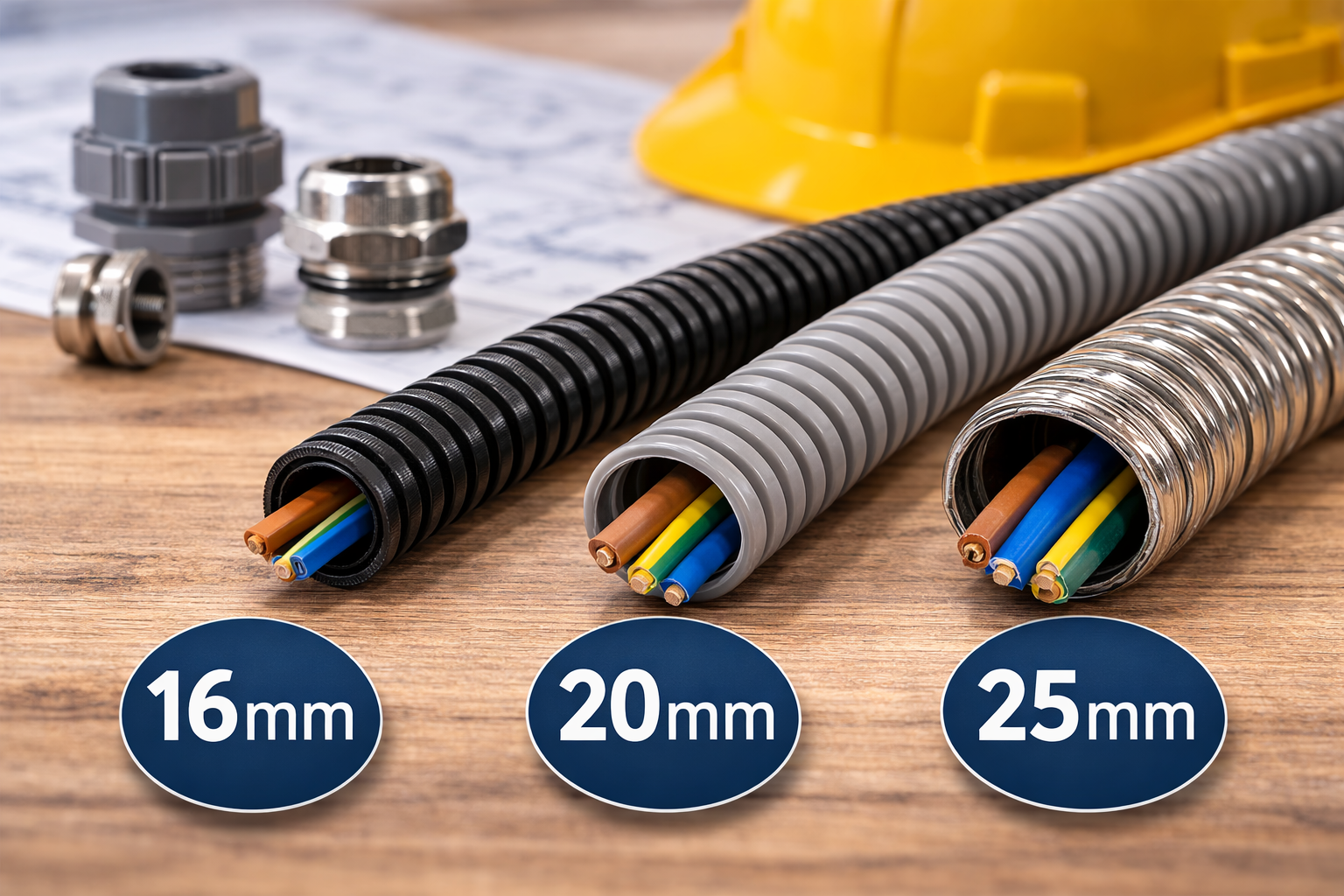
Conduit Size Guide: How to Choose the Right Diameter for Your Cables

When you’re working with conduits, picking the right diameter is a key element of safety and performance. The right fit keeps your cables protected and stops them from overheating. Not to mention that it makes installation much easier.

Read on as we explain more about conduit sizes and how to pick the right one for your project. 

Why conduit size matters

A conduit doesn’t just hide your cables. It protects them. So, picking the right size is essential. Too small, and the cables could get squished or bent. Too big, and it’s tricky to secure and more expensive. 

The internal diameter (ID) determines how many cables are able to fit comfortably. Using this measurement will ensure that installation is straightforward, as well as giving you extra room in case you want to add more cables later.

Cable fill capacity

When you’re running electrical cables through a conduit, there’s a limit to how much space the cables can take up inside. This is called the ‘fill capacity.’ It makes sure that there’s enough room for air to circulate, reduces heat building up and makes it easier to pull the cables through.

  • Single cable – If you’re only running one cable, it can occupy up to 53% of the conduit’s internal space.
  • Two cables – Two cables can fill around 31%. It’s important to leave more room so they can move and cool properly.
  • Three or more cables – When there are several cables, they can share space more efficiently. But it’s important to ensure that they don’t fill any more than 40% of the conduit’s area.

Overfilling the conduit can overheat cables, making them much harder to pull them through bends or junctions. That’s why you need to calculate the total cable diameters and compare them to the conduit size before starting to install.

Bend radius and easy installation

Cables can only bend so much without damage. This is known as the minimum bend radius. Narrow conduits make bends tight and tricky, while a slightly larger diameter gives cables room to move. 

It’s also a good idea to use a flexible conduit, like polypropylene, to make installation easier in corners and around any obstacles.

Using conduit accessories 

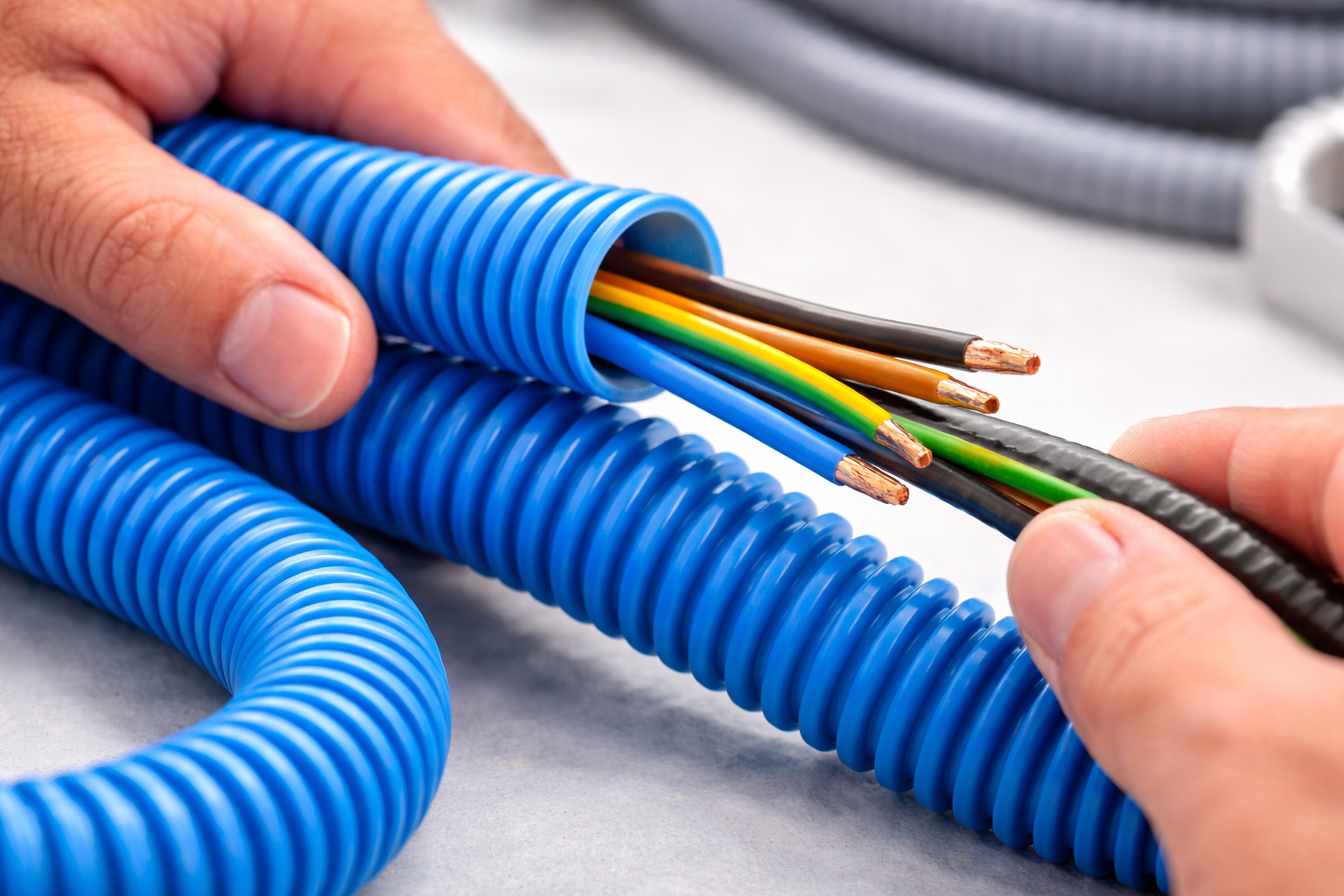
Conduit accessories help make installations easier and protect your cables from damage. Elbows, couplers and connectors help keep smooth bends and secure connections, while bushings protect cable insulation from sharp edges. 

If you use the right accessories, you’ll have less stress on cables and make pulling through long or complex runs much easier. They also help keep your installation tidy and professional-looking. Taking the time to include proper accessories adds to an easier and safer setup. 

Key steps to picking the right diameter

Before you start installing, take a few minutes to plan. Here’s how to get it right:

  • List your cables – Write down each cable’s type, diameter and amount.
  • Check cable fill – Make sure the total cable area stays within the recommended limits (53% for one cable, 31% for two, 40% for three or more).
  • Check bend radius – Ensure that your cables can bend safely without stress or damage.
  • Plan for the future – Leave extra space in case you need to add cables later.
  • Choose the right conduit material – Match it to your environment: indoor, outdoor, wet or corrosive areas.
  • Map your layout – Think ahead about corners and junction boxes to make pulling and maintenance easier.

If you follow these steps, you’ll pick a conduit diameter that’s safe, efficient and ready for whatever upgrades come next.

Common mistakes to avoid

Even with careful planning, it’s easy to make small mistakes that can cause big problems later. Knowing what to watch out for will save you time and money further down the road. 

Here are some common pitfalls to avoid:

Overcrowding cables

Stuffing too many cables into a conduit makes pulling them through difficult and makes them likely to overheat.

Ignoring bend radius

Tight bends can squash or damage cables, weakening their insulation and how they perform.

No room for future cables

If your conduit is just big enough for now, adding more later can be tricky and expensive.

Using the wrong material

Weak or non-UV-resistant conduit can crack, fade and fail over time, leaving your cables exposed to damage.

How to future-proof

Electrical systems are constantly changing. You might add circuits, lighting or upgrades at a later date. Your chosen conduit that just fits today could be a problem tomorrow.

So, it’s important to plan ahead. Leave 20-30% extra space so you can add cables without having to rip out walls or make any massive changes. If you’re working on an outdoor or underground run, consider options that are durable and can be expanded. For example, Underground Burial Conduit – 50m or UV Polypropylene Conduit.

Types of materials

Using the right diameter is key but don’t forget that the material matters too. Consider the type of project you’re working on to make sure you use the correct materials for the job. That could be indoor, outdoor, underground or exposed.

For example: 

Polypropylene

Polypropylene is lightweight and flexible, as well as being UV- and chemical-resistant – ideal for indoor and outdoor projects.

Galvanised steel

Galvanised steel is heavy-duty, strong and impact-resistant, perfect for industrial or high-traffic areas. If you’re working on a bulk project, check out GTSE’s Contractor Packs – Galvanised Steel Conduit

Conduits for any setup

Ready to get your conduit sizing right? Follow our guide to choose the perfect diameter, keep your cables safe and make installations easy. 

Explore the full range of conduits at GTSE to keep your setup safe, efficient and future-ready.